
USIM vs eSIM: Complete Comparison

At a glance
A complete comparison of USIM vs eSIM with practical scenarios.
TL;DR (Quick Decision)
- Latest phone + International travel: Generally, eSIM (data) + Domestic USIM (keep number) combination is most convenient.
- Older phone / eSIM unsupported device: Physical USIM or pocket WiFi is realistic.
- Family/group + Multiple devices: Pocket WiFi is also competitive. (Comparison guide)
- Long-term stay: Local USIM is most economical
Concept: What are USIM vs eSIM?
USIM (Universal Subscriber Identity Module)
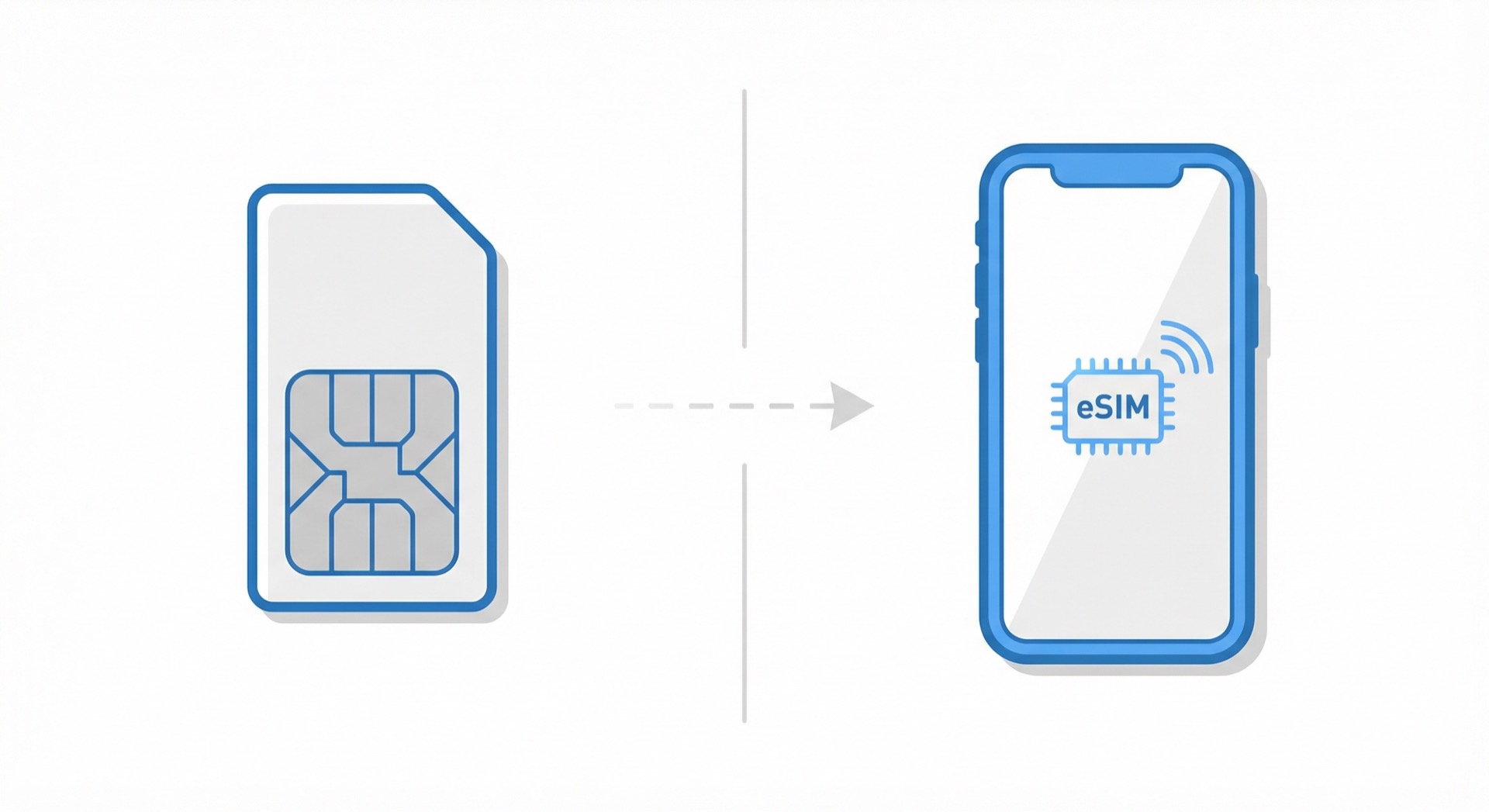
A physical SIM card that is inserted into the SIM tray of your mobile phone.
Characteristics:
- Plastic card format
- Size: Nano-SIM (12.3mm × 8.8mm)
- Replaceable: Can be moved to other devices
- Traditional method used since 1991
eSIM (Embedded SIM)
A digital profile downloaded to a built-in chip in the device.
Characteristics:
- No physical card
- Chip soldered to the motherboard
- Activated by scanning QR code
- GSMA standard announced in 2016
10 Key Differences
1. Form and Installation
USIM
- Form: Plastic card
- Installation: Physically inserted into SIM tray
- Tool: SIM pin required
- Time: 1~2 minutes
eSIM
- Form: Built-in chip + digital profile
- Installation: QR code scan or code entry
- Tool: Wi-Fi connection required
- Time: 5~10 minutes
2. Device Transfer and Replacement
USIM
Advantages:
- Easy to move to other devices
- Just remove and transfer the SIM card
- Can be shared among multiple people
Disadvantages:
- Inconvenient if SIM pin is lost
- Risk of loss due to small size
eSIM
Advantages:
- No risk of loss
- No physical replacement needed
Disadvantages:
- Difficult to transfer devices (mostly impossible)
- Often only one-time installation
- May need to repurchase when moving to new device
For details: Can I reinstall eSIM?
3. Dual SIM Operation
USIM + USIM
- Only some devices support (dual SIM slots)
- Simultaneous use of two physical SIMs
USIM + eSIM (Most common)
- Supported by most modern smartphones
- Domestic number (USIM) + International data (eSIM) combination
- Careful setup required (data roaming OFF)
eSIM + eSIM
- iPhone 13 and later, some Android support
- Can store multiple eSIM profiles
- Up to 2 can be active simultaneously
Dual SIM setup guide:
4. Purchase and Activation
USIM
Purchase:
- Visit carrier store
- Online purchase with delivery
- Airport/convenience store purchase (for travel)
Activation:
- Auto-activation after SIM insertion
- Or carrier authentication required
Time required: Instant~several days (for delivery)
eSIM
Purchase:
- Online purchase (instant)
- Receive QR code via email
Activation:
- Scan QR code on Wi-Fi
- Download profile (5~10 minutes)
- Auto-connect after arriving at destination (depending on plan)
Time required: Instant~several hours
5. Cost
USIM (for travel)
Japan 7-day example:
- Airport purchase: 20,000~35,000 KRW
- Online pre-purchase: 15,000~30,000 KRW
- Shipping: 2,000~3,000 KRW
eSIM (for travel)
Japan 7-day example:
- Online purchase: 10,000~25,000 KRW
- Shipping: None
- Ready to use immediately
Conclusion: eSIM is generally cheaper
6. Convenience
USIM
Advantages:
- Familiar method
- No technical knowledge required
- Easy device transfer
Disadvantages:
- Requires pickup/delivery
- Risk of loss
- SIM pin required
eSIM
Advantages:
- Online purchase, instant use
- No pickup/delivery required
- No risk of loss
- Can install before departure
Disadvantages:
- Technical knowledge required
- Wi-Fi connection essential
- Installation process somewhat complex
7. Device Support
USIM
- Supported by almost all mobile phones
- Older devices also supported
- Feature phones also supported
eSIM
- Only latest smartphones supported
- iPhone XS/XR (2018) and later
- Galaxy S21 (2021) and later
- Some older devices not supported
Check details: eSIM compatible devices
8. Carrier Lock
USIM
- Partially usable even when locked
- Same carrier SIM works
eSIM
- Unlock required
- Cannot add international eSIM when locked
- Must check before purchase
9. Environmental Impact
USIM
- Plastic card production
- Packaging materials used
- Carbon emissions from delivery
eSIM
- No physical production required
- No packaging materials
- Completed with digital transmission only
- Environmentally friendly
10. Security
USIM
- Risk of physical theft
- Can be used by others if lost
- Risk of SIM card cloning (rare but exists)
eSIM
- Cannot be physically stolen
- Protected by device lock
- Can be remotely deleted (if device is lost)
Detailed Comparison Table
| Category | USIM (Physical SIM) | eSIM |
|---|---|---|
| Form | Plastic card | Built-in chip + digital profile |
| Installation | Insert into SIM tray | QR code scan |
| Replacement | Easy (remove and move) | Difficult (may need repurchase) |
| Loss risk | Yes | No |
| Device support | Almost all devices | Latest devices only |
| Purchase | Store/online/airport | Online only |
| Delivery | Required (for online) | Not required |
| Activation | Instant | 5~10 minutes |
| Dual SIM | USIM+USIM or USIM+eSIM | eSIM+eSIM or USIM+eSIM |
| Cost | Medium~High | Low~Medium |
| Carrier lock | Partially usable | Unlock required |
| Environment | Plastic production | Eco-friendly |
| Reinstallation | Unlimited | Limited (often one-time only) |
Practical Comparison (Travel/Business)
International Travel Scenarios
Short-term travel (3~7 days)
If choosing USIM:
- Purchase after airport arrival
- Or online pre-purchase (wait for delivery)
- Cannot receive domestic number (unless dual SIM)
If choosing eSIM:
- Online purchase and installation before departure
- Connect immediately upon airport arrival
- Keep domestic number (dual SIM)
Recommendation: eSIM (convenience and cost advantage)
Long-term stay (30+ days)
If choosing USIM:
- Local carrier plan (cheapest)
- Long-term discount benefits
- Cannot receive domestic number (unless dual SIM)
If choosing eSIM:
- Travel eSIM (expensive)
- Or local carrier eSIM (some countries)
Recommendation: Local USIM (cost advantage)
Business Trip
USIM:
- Familiar method
- Easy device replacement (when using multiple phones)
eSIM:
- Fast activation
- Keep domestic number
- Convenient for multi-country trips
Recommendation: eSIM (convenience, but device support required)
Domestic Carrier Change
USIM:
- Visit store
- Receive new SIM
- Can replace immediately
eSIM:
- Online application
- Receive QR code
- Activate at home
Recommendation: eSIM (no visit required)
Most Recommended Setup for Travelers
Optimal Combination: USIM + eSIM (Dual SIM)
Setup:
- Domestic USIM: Keep basic voice/text
- Travel eSIM: Data only
Advantages:
- Can receive calls/texts on domestic number
- Use cheap eSIM for data
- Prevent expensive roaming
Setup Method:
iPhone:
- Settings > Cellular
- Cellular Data: Select travel eSIM
- Default Voice Line: Select domestic USIM
- Domestic USIM data roaming: OFF
- Travel eSIM data roaming: ON
Android:
- Settings > Connections > SIM manager
- Mobile data: Select travel eSIM
- Calls: Select domestic USIM
- Domestic USIM data roaming: OFF
- Travel eSIM data roaming: ON
Detailed guides:
Pros and Cons Summary
When USIM is Advantageous
✅ Recommended for:
- eSIM unsupported device users
- When multiple people share one SIM
- When device replacement is frequent
- Those not familiar with technology
- Older phone users
✅ Advantages:
- Supported by almost all devices
- Familiar usage method
- Easy device transfer
- Can be shared by multiple people
- No technical knowledge required
❌ Disadvantages:
- Risk of loss
- Delivery waiting time
- Inconvenient pickup/replacement
- Not environmentally friendly
When eSIM is Advantageous
✅ Recommended for:
- Latest smartphone users
- Frequent international travelers
- Those who want to prepare before departure
- Those who want to keep domestic number while separating data
- Multi-country travelers
✅ Advantages:
- Online instant purchase
- No delivery required
- No risk of loss
- Can install before departure
- Easy dual SIM utilization
- Multi-country support
- Environmentally friendly
❌ Disadvantages:
- Only latest devices supported
- Difficult device transfer
- Reinstallation restrictions
- Carrier unlock required
- Installation process somewhat complex
Checklist to Reduce Selection Mistakes
Pre-purchase Checklist
When choosing eSIM
- Does my phone support eSIM? (How to check)
- Is it carrier locked (unlocked)?
- What are the plan start conditions (purchase/installation/local connection)?
- What is the speed policy (high-speed then low-speed, daily limit, completely unlimited)?
- Is tethering capability needed?
- What is the reinstallation policy?
- Is the data capacity sufficient? (Capacity calculation)
When choosing USIM
- Is delivery time sufficient?
- What is the pickup method? (Delivery/airport counter)
- What is the return method?
- Do you need to keep domestic number?
- Is it a dual SIM supported device?
Recommendations by Travel Style
Solo or Couple Travel
- Recommendation: Each person gets eSIM
- Reason: Low cost, convenient
Family Travel (3~5 people)
- Option 1: Parents each get eSIM + children use tethering
- Option 2: Pocket WiFi
- Comparison: eSIM vs Pocket WiFi
Group Travel (5+ people)
- Recommendation: Each person gets eSIM or USIM
- Reason: Convenient when moving separately
Business Trip
- Recommendation: eSIM
- Reason: Fast activation, keep domestic number
Long-term Stay (30+ days)
- Recommendation: Local USIM
- Reason: Most economical
Frequently Asked Questions (FAQ)
Q1. Can I use eSIM and USIM simultaneously?
A: Yes, possible on devices with dual SIM functionality.
- iPhone: All models from XS/XR onwards
- Android: Most latest devices
The most common combination is domestic USIM + travel eSIM.
Q2. Can I switch back from eSIM to USIM?
A: Yes, anytime.
- Delete eSIM profile
- Insert USIM
- Carrier reactivation (if needed)
Q3. How to change from USIM to eSIM?
A: Apply for eSIM conversion with your carrier.
- SKT/KT/LG U+: Online or store application
- Receive QR code
- Remove existing USIM and activate eSIM
Q4. Is eSIM more expensive?
A: No, often cheaper.
- For travel: eSIM is generally cheaper
- Domestic carriers: Same price
Q5. Does eSIM consume more battery?
A: No, battery consumption is almost the same as USIM.
- Slightly increases when using dual SIM (same whether USIM+eSIM or USIM+USIM)
Q6. Can I give my eSIM to someone else?
A: No, impossible.
- eSIM is linked to specific device's EID
- QR code won't work on other devices even if shared
Q7. What if I lose USIM abroad?
A: Purchase new one locally or consider buying eSIM.
- Purchase USIM at airport/convenience store
- Or instantly purchase eSIM online
Q8. I bought an eSIM-supported device but there's no eSIM menu.
A: It may be carrier locked.
- Check "Carrier Lock" in Settings > General > About
- Request unlock from carrier
Future Outlook
eSIM Popularization Trend
Current situation (2024):
- iPhone: US models are eSIM-only (no physical SIM slot)
- Android: Gradually expanding eSIM support
- Carriers: Actively adopting eSIM
Future outlook:
- Most new devices will support eSIM within 2~3 years
- Physical SIM may be phased out within 5~10 years
- eSIM expected to become standard
Impact on Travelers
Positive impact:
- Cheaper data rates
- More choices
- More convenient activation
Cautions:
- Older device users need to prepare
- Need to learn eSIM usage
Next Steps
Once you've made your decision, start preparing specifically.
If choosing eSIM
- Check eSIM compatible devices
- Choose travel data capacity
- iPhone eSIM installation guide
- Android eSIM installation guide
- Best eSIM for Japan travel
If choosing USIM
- Decide purchase location (online/airport/local)
- Check delivery method
- Learn dual SIM setup method
Additional Information
Last updated: March 15, 2024
Author: eSIMoa Guide Team
