
eSIM Technical Architecture: Understanding Embedded SIM Through GSMA Standards
At a glance
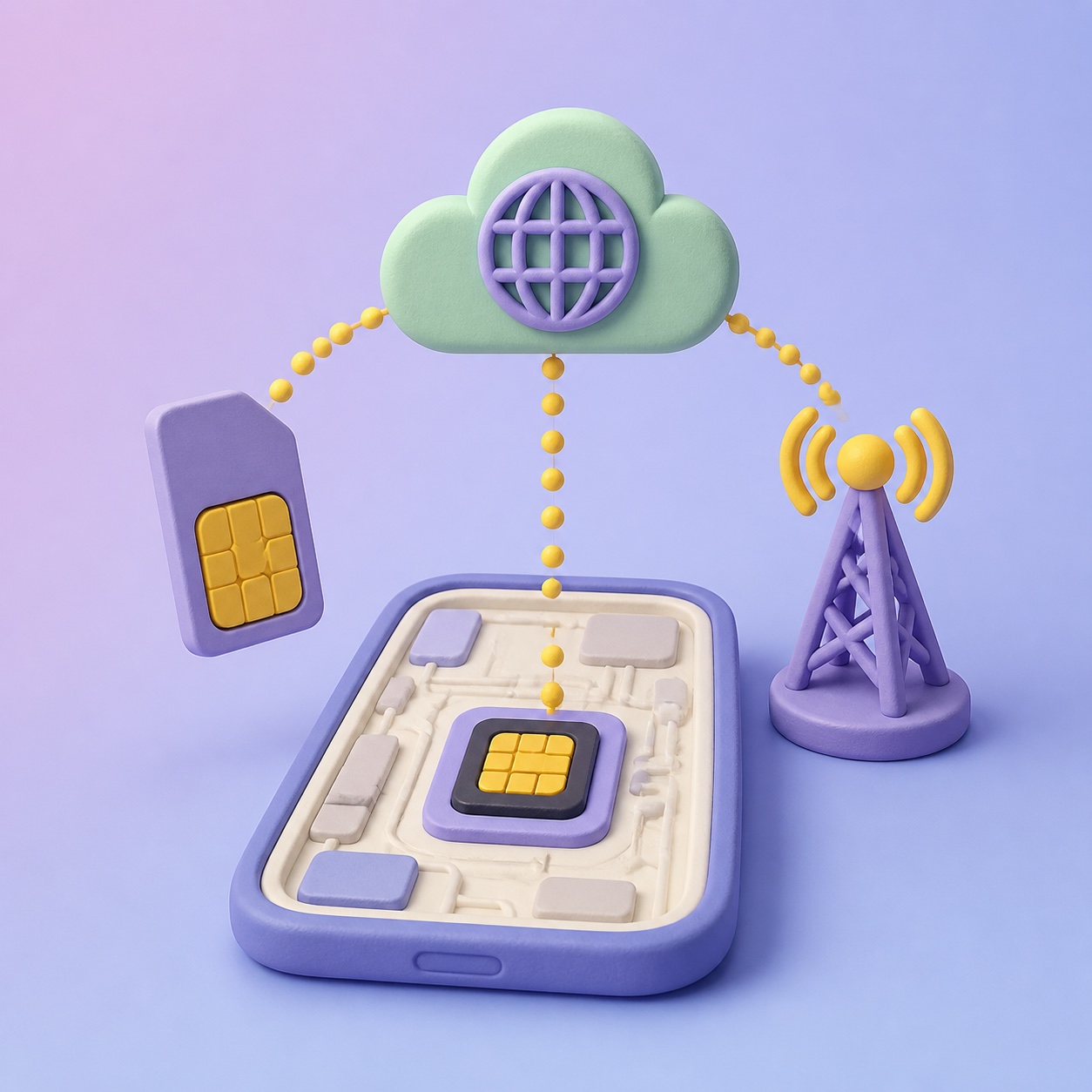
Detailed explanation of GSMA-based eSIM technical architecture including eUICC, SM-DP+, SM-DS, LPA components and remote provisioning process.
eSIM Technical Architecture: Understanding Embedded SIM Through GSMA Standards
Scan a QR code on your smartphone, and within seconds a new mobile line activates. You can switch carriers without swapping a physical chip, or start using a local data plan the moment you land in a new country. The technical foundation that makes all of this possible is the Consumer eSIM architecture defined by the GSMA (Global System for Mobile Communications Association).
This guide takes a detailed look at the technical structure eSIM actually runs on — well beyond just being a "SIM card built into the device" — and how its core components interact with each other. It's technical material, but we'll walk through it with the simplest analogies we can.
Before eSIM: the limits of a physical SIM
The structure of a traditional SIM card
A conventional physical SIM (Subscriber Identity Module) card stores the following information on a small plastic chip:
- IMSI (International Mobile Subscriber Identity): the subscriber identification number
- Ki (Authentication Key): the authentication key
- ICCID: the SIM card's unique identifier
- Phone number linkage info
- Carrier network settings
This information is hardcoded at the time the SIM card is manufactured, so switching carriers has always required physically swapping the card.
The fundamental problems with physical SIMs
- Logistics cost: producing, shipping, and stocking millions of SIM cards
- Size constraints: a SIM slot takes up physical space in a device's design
- User inconvenience: switching carriers means a store visit or waiting for shipping
- Environmental impact: the environmental burden of mass-producing and disposing of plastic SIM cards
- IoT limitations: it's impractical to individually fit physical SIMs into thousands of small IoT devices
To solve these problems, GSMA standardized eSIM technology built on eUICC (embedded Universal Integrated Circuit Card).
Overview of the GSMA eSIM standard
Two separate eSIM standards
GSMA defines two distinct eSIM standards depending on use case:
1. M2M (Machine-to-Machine) eSIM — SGP.01/SGP.02
- The standard for IoT devices, vehicles, industrial equipment, and similar
- SM-SR and SM-DP handle Remote SIM Provisioning (RSP)
- The device's user doesn't manage the profile directly
- A carrier or enterprise manages the profile server-side
2. Consumer eSIM — SGP.21/SGP.22
- The standard for consumer devices like smartphones, tablets, and smartwatches
- The user installs the profile directly — for example, by scanning a QR code
- SM-DP+ and LPA play the core roles
- This is the standard this guide focuses on
The eSIM on the smartphone you use every day follows the Consumer eSIM (SGP.22) standard.
Key specification documents
The main GSMA specification documents relevant to Consumer eSIM:
| Document | Name | Content |
|---|---|---|
| SGP.21 | RSP Architecture | The Remote SIM Provisioning architecture |
| SGP.22 | RSP Technical Specification | The detailed technical spec |
| SGP.23 | RSP Test Specification | The test spec |
| SGP.24 | RSP for IoT | Extension for IoT devices |
Core components
The eSIM ecosystem operates through several components working together organically. Let's walk through each component's role one at a time.
1. eUICC (embedded Universal Integrated Circuit Card)
The eUICC is the physical hardware chip that hosts eSIM. It's directly soldered onto the motherboard when the device is manufactured.
Key characteristics:
- A built-in chip that cannot be physically removed
- Can store multiple carrier profiles at once
- Has an independent security processor and cryptographic engine built in
- Runs a Java Card–based operating system
- Has a unique EID (eUICC Identifier, 32 digits)
Think of it this way: the eUICC is like a safe that can hold several keys at once. The safe itself is fixed to the device, but you can put in and take out different carriers' "keys" (profiles) inside it.
eUICC internal structure:
┌─────────────────────────────────────┐
│           eUICC chip                 │
│  ┌──────────┐  ┌──────────┐         │
│  │ Profile A│  │ Profile B│  ...    │
│  │ (Active) │  │(Inactive)│         │
│  └──────────┘  └──────────┘         │
│  ┌──────────────────────────┐       │
│  │    ISD-R (Root Domain)    │       │
│  │  - Profile management     │       │
│  │  - Security auth          │       │
│  └──────────────────────────┘       │
│  ┌──────────────────────────┐       │
│  │    ECASD (Security)       │       │
│  │  - Certificate management │       │
│  │  - Key storage            │       │
│  └──────────────────────────┘       │
└─────────────────────────────────────┘
ISD-R (Issuer Security Domain - Root):
- Acts as the "administrator" of the eUICC
- Manages profile installation, activation, deactivation, and deletion
- Handles secure communication with SM-DP+
ECASD (eUICC Controlling Authority Security Domain):
- Manages the eUICC's security certificates
- Verifies the certificate chain issued by the GSMA CI (Certificate Issuer)
- Forms the basis for mutual authentication during profile download
2. SM-DP+ (Subscription Manager - Data Preparation+)
SM-DP+ is a server system that prepares eSIM profiles and delivers them securely.
Key roles:
- Packages profile data received from the carrier into a form installable on an eSIM
- Encrypts and binds the profile so it can only be installed on one specific eUICC
- Performs mutual authentication with the eUICC
- Securely transmits the encrypted profile to the eUICC
Think of it this way: SM-DP+ is like a courier distribution center. It takes an item (the profile data) from a sender (the carrier), wraps it in secure packaging (encryption), and delivers it only to the exact recipient (a specific eUICC).
The form of an SM-DP+ address:
The SM-DP+ server's address is expressed as a domain. This is exactly the "SM-DP+ address" you enter when manually installing an eSIM:
Example: rsp.example.com
This address is either encoded into a QR code at the time of eSIM purchase, or delivered separately by email.
3. SM-DS (Subscription Manager - Discovery Server)
SM-DS is an intermediary server that helps an eUICC check whether there's a profile waiting for it.
Key roles:
- SM-DP+ registers an event saying "a profile is ready to install on the eUICC with this EID"
- The eUICC's LPA queries SM-DS: "Is there any event registered for my EID?"
- If there's a matching event, it tells the eUICC the address of the relevant SM-DP+
Think of it this way: SM-DS is like a post office's mailbox service. When a package (a profile) arrives, a notice saying "you have a package" is placed in the mailbox; once the recipient checks it, they learn the address of the distribution center (SM-DP+) where they can pick it up.
How SM-DS operates:
1. SM-DP+ → SM-DS: "Profile ready for EID xxx" (event registration)
2. LPA → SM-DS: "Is there a pending event for EID xxx?" (polling)
3. SM-DS → LPA: "Yes, it's waiting at SM-DP+ rsp.example.com" (response)
4. LPA → SM-DP+: profile download begins
Note: SM-DS is an optional component. If a QR code provides the SM-DP+ address directly, SM-DS isn't needed at all.
4. LPA (Local Profile Assistant)
LPA is the software component on the device responsible for managing eSIM profiles. It's also the interface the user directly interacts with.
LPA's three sub-components:
| Component | Role |
|---|---|
| LPD (Local Profile Download) | Communicates with SM-DP+ to handle profile downloads |
| LDS (Local Discovery Service) | Communicates with SM-DS to look up pending profiles |
| LUI (Local User Interface) | Provides the profile management UI to the user |
Think of it this way: LPA is the smartphone's eSIM management manager. It takes the user's request (scanning a QR code, entering info manually), downloads the profile from SM-DP+, and manages installed profiles (enabling, disabling, deleting).
On iPhone, the "Settings > Cellular > Add eSIM" screen plays the role of the LUI. On Android, the "Settings > Network > SIM" screen serves the same function.
5. CI (Certificate Issuer)
CI is the certificate authority that provides the Root of Trust for the eSIM ecosystem.
Key roles:
- Issues digital certificates to eUICC, SM-DP+, and SM-DS
- Establishes mutual trust relationships through the certificate chain
- Operates the security framework based on PKI (Public Key Infrastructure)
GSMA operates the GSMA CI, allowing every participant in the eSIM ecosystem to trust one another.
6. Operator (Carrier/MNO)
The carrier is the issuer of an eSIM profile.
Key roles:
- Generates subscriber profile data (IMSI, Ki, network settings, etc.)
- Delivers the profile data to SM-DP+
- Provides network service once the profile is activated
- Manages the profile's lifecycle (activation, suspension, termination, etc.)
The full architecture diagram
Here's a text diagram showing how all the components connect to each other:
┌──────────┐          ┌──────────┐
│  Carrier  │ ------→  │  SM-DP+  │
│ (Operator)│ profile   │  server  │
└──────────┘  data      └────┬─────┘
                             │
                    ┌────────┤
                    │        │
                    ▼        ▼
              ┌──────────┐   │
              │  SM-DS   │   │
              │  server  │   │
              └────┬─────┘   │
                   │         │
            event  │         │ profile
            notice │         │ download
                   │         │
                   ▼         ▼
              ┌──────────────────┐
              │  LPA (on device)  │
              │  ┌────┐ ┌────┐  │
              │  │LDS │ │LPD │  │
              │  └────┘ └────┘  │
              │     ┌────┐      │
              │     │LUI │ ← user interface
              │     └────┘      │
              └────────┬────────┘
                       │
                       ▼
              ┌──────────────────┐
              │    eUICC chip     │
              │  ┌──────────────┐│
              │  │ ISD-R        ││
              │  │  ┌─────────┐ ││
              │  │  │Profile A│ ││
              │  │  │Profile B│ ││
              │  │  └─────────┘ ││
              │  └──────────────┘│
              │  ┌──────────────┐│
              │  │    ECASD     ││
              │  └──────────────┘│
              └──────────────────┘

      ┌──────────┐
      │ GSMA CI  │ ← issues certificates (to all components)
      └──────────┘
The Remote SIM Provisioning process
Let's walk step by step through Remote Provisioning, eSIM's most essential function — using the scenario where a user scans a QR code to install an eSIM.
Step 1: Profile Preparation
The carrier generates a new subscriber profile.
- The carrier generates subscriber information (IMSI, Ki, OPC, etc.).
- This data is delivered to SM-DP+.
- SM-DP+ converts the profile data into a profile package.
- The profile package contains all the information needed for network access:
- NAA (Network Access Application): the SIM app
- Carrier security domain
- File system structure
- Policy rules
Step 2: Activation Code Generation
SM-DP+ generates an activation code to deliver the profile in a specific way.
The structure of an activation code:
1$<SM-DP+ address>$<matching ID>[$<OID>]
Example:
1$rsp.example.com$ABC123DEF456
This activation code is either encoded into a QR code or delivered to the user as text.
Step 3: QR code scan and LPA launch
The user begins the eSIM installation on their device.
- The user selects "Add eSIM" in the device's settings.
- They choose the QR code scan option and scan the code.
- LPA extracts the SM-DP+ address and matching ID from the QR code.
- LPA's LPD component begins communicating with SM-DP+.
Step 4: Mutual Authentication
The eUICC and SM-DP+ verify each other's identity. This process is based on certificates issued by the GSMA CI.
LPA/eUICC                          SM-DP+
    │                                 │
    │──── Connection request (with EID) ──→│
    │                                 │
    │←── Server certificate + challenge ───│
    │                                 │
    │  [eUICC verifies server certificate]  │
    │                                 │
    │──── eUICC certificate + response ──→│
    │                                 │
    │  [SM-DP+ verifies eUICC certificate]  │
    │                                 │
    │←── Session key exchange complete ────│
    │                                 │
    │  [Encrypted secure channel established] │
During this process:
- SM-DP+ confirms that the eUICC is a legitimate, GSMA-certified chip.
- The eUICC confirms that SM-DP+ is a legitimate, GSMA-certified server.
- Once both sides trust each other, they exchange a session key to establish an encrypted communication channel.
Step 5: Profile binding and download
Once mutual authentication is complete, the profile is downloaded.
- SM-DP+ encrypts the profile package with the target eUICC's public key.
- The encrypted profile is transmitted to the LPA over the secure channel.
- LPA delivers the profile to the eUICC's ISD-R.
- ISD-R decrypts and installs the profile.
- A new ISD-P (Issuer Security Domain - Profile) is created to host the profile.
Step 6: Profile activation
Once installation is complete:
- LUI shows the user a message: "Profile installed. Activate it now?"
- The user approves activation.
- ISD-R changes the profile's status to Enabled.
- The device registers with the carrier network using the activated profile's network settings.
- The data connection begins.
Profile lifecycle management
An eSIM profile continues to be managed through various states even after installation.
Profile states
[New profile] → Download → [Installed/Disabled]
                                 │
                            Enable │ ←→ Disable
                                 │
                                 ▼
                             [Enabled]
                                 │
                            Delete │
                                 ▼
                             [Deleted]
Enable
- Switches a specific profile to the "in use" state
- Connects to that profile's carrier network
- Only one profile can be active at a time (except two, on dual-SIM devices)
Disable
- Switches a profile to a "standby" state
- The network connection is released, but the profile data remains on the eUICC
- Can be re-enabled at any time
Delete
- Completely removes the profile from the eUICC
- A deleted profile cannot be recovered (whether reinstallation is possible depends on the provider)
- Some profiles may have deletion restricted by carrier policy
Security architecture
eSIM security is protected across multiple layers.
Hardware security
- The eUICC chip is a secure element certified to Common Criteria EAL4+ or higher
- It has defenses against physical attacks (side-channel attacks, fault injection, etc.)
- Keys and data inside the chip cannot be accessed directly from outside
Certificate-based authentication (PKI)
- The GSMA CI acts as the top-level certificate authority (Root CA)
- eUICC, SM-DP+, and SM-DS all use certificates issued by the GSMA CI
- Mutual authentication lets both sides verify each other's identity
Transport security
- TLS 1.2/1.3 protects the transport layer during profile download
- The profile data itself is also encrypted with a separate key (double encryption)
- A unique per-session key prevents replay attacks
Profile isolation
- Within the eUICC, each profile is isolated in its own independent security domain (ISD-P)
- Profile A cannot access Profile B's data
- Java Card's firewall mechanism guarantees this isolation
Policy rules
Carriers can embed policy rules into a profile to control specific behaviors:
- Profile deletion allowed/disallowed: a carrier may not permit a profile to be deleted
- Profile disabling allowed/disallowed: some profiles may need to always stay in the Enabled state
- PPR (Profile Policy Rule): a standard set of policy rules defined by GSMA
Consumer eSIM vs. M2M eSIM
Key differences at a glance
| Item | Consumer eSIM (SGP.22) | M2M eSIM (SGP.02) |
|---|---|---|
| Target devices | Smartphones, tablets, wearables | IoT devices, vehicles, industrial equipment |
| Profile management | Managed directly by the user (LPA) | Managed remotely by a carrier/enterprise |
| Provisioning server | SM-DP+ | SM-DP, SM-SR |
| Profile installation | QR code, manual entry, app | Pushed remotely from a server |
| User consent | Required (user approves) | Not required (automated) |
| Number of profiles | Multiple stored, selectively activated | Usually swapped one at a time |
| Device access | Has a UI (screen, touch) | May have no UI at all |
Why Consumer eSIM is user-friendly
Consumer eSIM is designed on the premise that the user manages the profile directly:
- Provides a visual UI: viewing the profile list, checking status, and management are all possible through LUI
- Explicit consent: user approval is required to install or delete a profile
- Multiple installation methods: QR code, manual entry, app-based install, and more
- Freedom to choose a profile: freely select which profile to use among several
The future: iSIM and beyond
iSIM (Integrated SIM)
iSIM is the next evolutionary step after eSIM — a technology that integrates the eUICC's functionality directly into the device's main processor (SoC).
eSIM vs. iSIM:
| Item | eSIM (eUICC) | iSIM |
|---|---|---|
| Physical form | A separate chip (soldered onto the motherboard) | Integrated inside the SoC |
| Size | About 2.5mm x 2.3mm | A tiny part of the SoC |
| Cost | A separate chip cost | Included in the SoC (minimal added cost) |
| Security | A separate secure element | A secure area inside the SoC |
| Ideal use case | Smartphones, tablets | IoT, wearables, ultra-compact devices |
Because iSIM needs no separate chip, it can make devices smaller and cheaper — giving it significant potential, especially for IoT and wearable devices.
nuSIM
Led by Deutsche Telekom, nuSIM is a lightweight eSIM solution for low-power IoT devices, developing alongside the GSMA standard.
The software-ization of eSIM (SoftSIM)
Some in the industry are researching SoftSIM — implementing SIM functionality in pure software, with no hardware secure element. But given security concerns, it looks like widespread adoption will still take some time.
GSMA's ongoing standard evolution
GSMA continues to update the eSIM standard:
- SGP.22 v3.x: improved device-to-device profile transfer (Device Swap) functionality
- Stronger integration with 5G SA (Standalone) networks
- Multi-IMSI profiles: connecting to multiple carrier networks through a single profile
- Expanded remote management: carriers remotely updating a profile's policy
What everyday users should know
We've covered a lot of technical ground, but here's the essence from an everyday user's perspective:
Why eSIM is secure
- Data is stored on a chip that cannot be physically removed.
- Certification and encryption are applied according to an international standard (GSMA).
- Each profile is managed in its own isolated security domain.
- If lost, there's less risk of theft/misuse compared with a physical SIM.
What a QR code actually means
A QR code contains the SM-DP+ server's address and profile identification info. The QR code itself doesn't contain the profile data — it contains the "address" of the server where the profile can be downloaded from.
Why you can store multiple eSIMs at once
Because the eUICC chip can create multiple independent secure areas (ISD-P). Each profile operates independently, much like a separate SIM card would.
Where eSIM beats a physical SIM
- You can switch carriers without swapping any card.
- You can install a local plan the moment you land on an international trip.
- There's no risk of physical loss or damage.
- Saving internal device space allows for better hardware design.
Wrap-up
GSMA's Consumer eSIM architecture is a sophisticated system where core components — eUICC, SM-DP+, SM-DS, and LPA — work together organically on top of a certificate-based security framework. Behind what looks to the user like a simple "one QR code scan," a complex security process — mutual authentication, encryption, profile binding — runs automatically.
It's this technical foundation that lets you safely and conveniently install the eSIM plan you compared and chose on esimoa. eSIM technology keeps evolving toward next-generation tech like iSIM, and more devices will keep getting more convenient access to connectivity services going forward.
