
China vSIM Complete Guide: Beat the Great Firewall with Virtual SIM

At a glance
Essential for China travel! How to use Google, YouTube, and Instagram freely with vSIM/eSIM, bypassing the Great Firewall. Includes China Mobile Lingdong Card PRO, local vs foreign eSIM comparison.
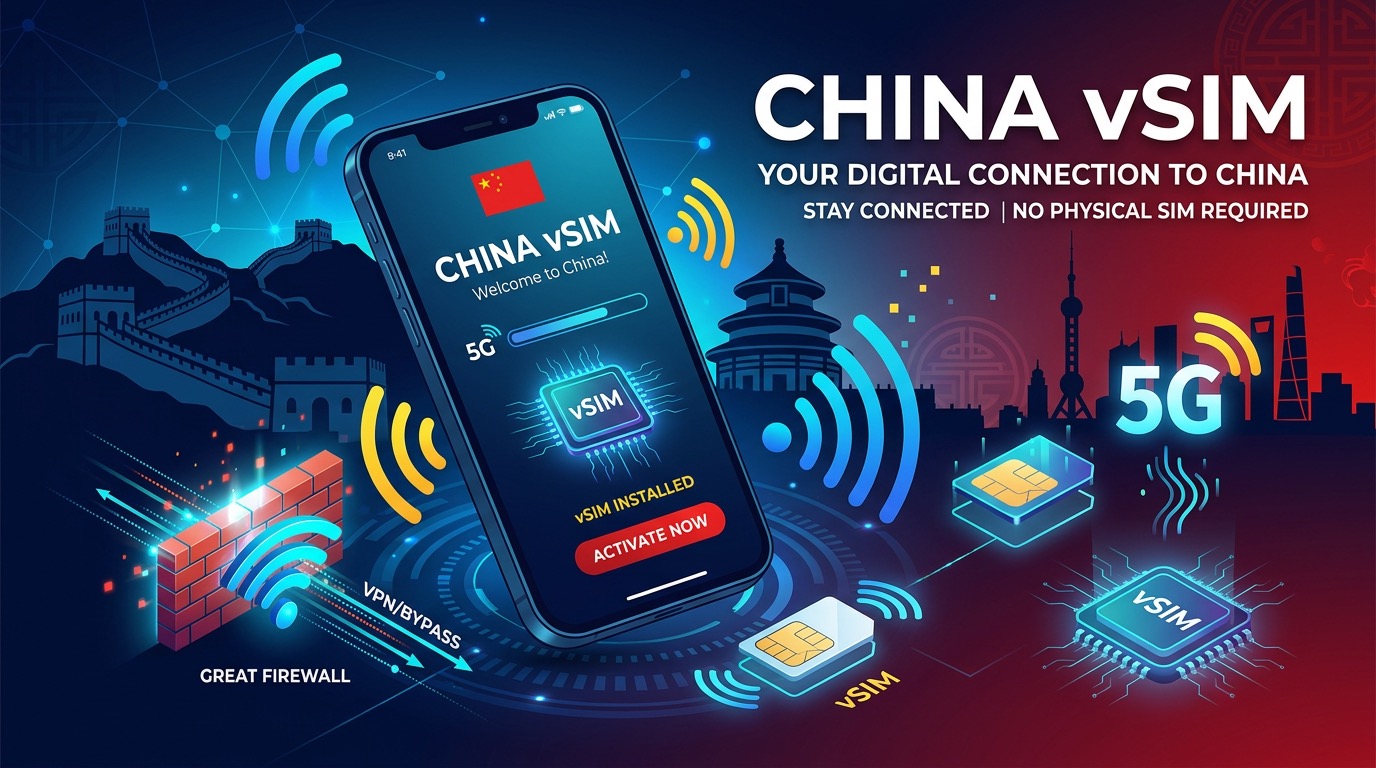
If you're planning a trip to China, there's something you absolutely must know: how to stay connected to the internet. China has a unique internet environment unlike any other country in the world. Due to the "Great Firewall of China (GFW)," one of the world's most sophisticated internet censorship systems, services we take for granted — Google, YouTube, Instagram, WhatsApp, KakaoTalk — are all blocked.
The key to solving this problem is the vSIM (Virtual SIM) and foreign eSIM. This guide covers everything you need to know about internet connectivity for your China trip.
What Is a vSIM? How Is It Different from eSIM?
A vSIM (Virtual SIM) is a SIM card implemented purely in software without any physical SIM chip. In broad terms, it's similar to an eSIM, but with some differences.
| Type | Physical SIM | eSIM | vSIM |
|---|---|---|---|
| Form | Plastic chip | Built-in chip | Software/App-based |
| Activation | Physical insertion | QR code scan | App download |
| Device dependency | None | Requires embedded chip | Smartphone app |
| Multiple lines | No (physical limit) | Yes (multi-profile) | Yes (software) |
| China adoption | Long established | Nationwide expansion 2025 | Pilot stage |
Why vSIM matters in China:
China is the world's largest telecom market, yet it was relatively slow to adopt eSIM/vSIM. However, since 2025, all three major carriers — China Mobile, China Unicom, and China Telecom — have been rapidly expanding eSIM services.
🚧 Why Is Internet Connectivity a Challenge in China?
The Great Firewall of China
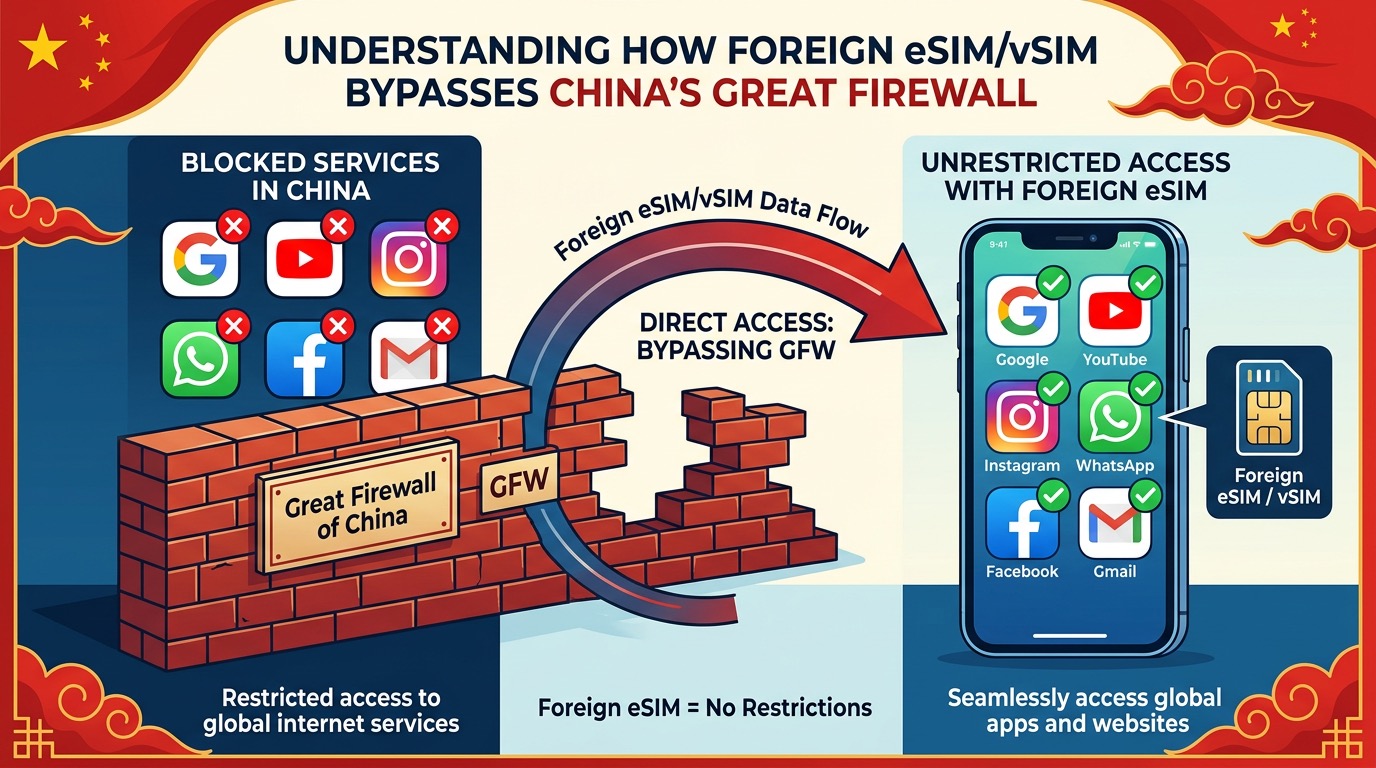
Since 1998, the Chinese government has operated the "Golden Shield Project (金盾工程)," known internationally as the Great Firewall of China (GFW). This is the world's most sophisticated internet censorship system.
Major Services Blocked in China
Completely blocked (impossible without VPN):
- 🔴 Google (Search, Maps, Translate, Gmail, Drive)
- 🔴 YouTube
- 🔴 Twitter / X
- 🔴 KakaoTalk
- 🔴 Telegram
- 🔴 Dropbox
- 🔴 Wikipedia (some pages)
- 🔴 Netflix
Chinese alternative apps:
- 🟢 Baidu (百度) — Google alternative search engine
- 🟢 WeChat (微信) — KakaoTalk/WhatsApp alternative
- 🟢 Gaode Maps / Baidu Maps — Google Maps alternative
- 🟢 DiDi (滴滴) — Uber alternative taxi app
- 🟢 Alipay / WeChat Pay — Mobile payment
The Key Solution: Bypass the Great Firewall with Foreign eSIM/vSIM
Here's the most important fact:
Using an eSIM or vSIM purchased outside of China lets you freely access Google, YouTube, KakaoTalk, and Instagram in China — without a VPN.
Why does this work?
- The Great Firewall operates through China's domestic telecom networks (China Mobile, Unicom, Telecom)
- Foreign eSIMs route through overseas carriers (Korea, Hong Kong, Singapore, etc.)
- International telecom lines are not subject to GFW censorship
- Essentially, it works like international roaming, bypassing restrictions entirely
This is why a foreign eSIM is not just a convenience for China travelers — it's a necessity.
China Local SIM vs Foreign eSIM: Full Comparison
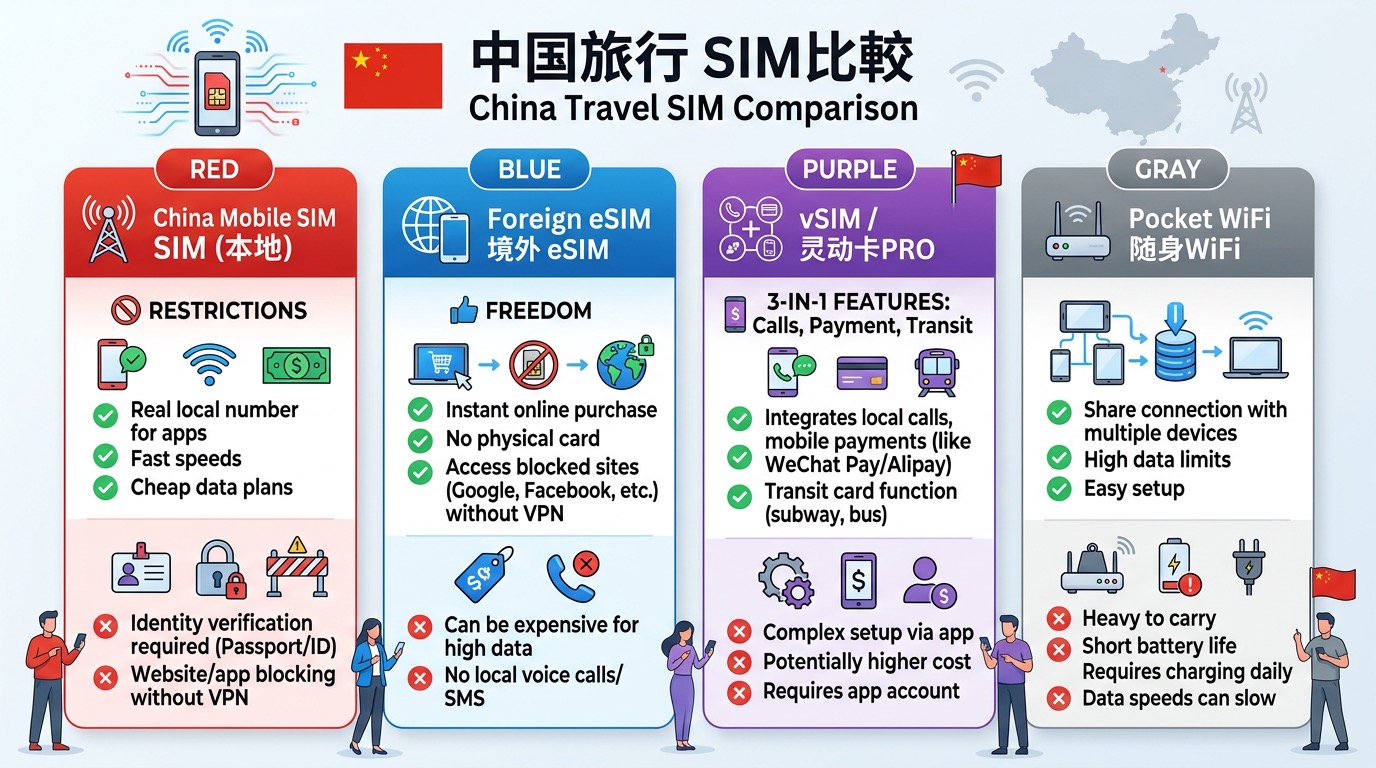
Option 1: Chinese Local SIM (China Mobile / Unicom / Telecom)
Pros:
- Fast speeds (excellent 5G coverage)
- Cheap local rates
- Real Chinese number (required for some local apps)
- Alipay / WeChat Pay integration possible
Cons:
- 🚫 Google, YouTube, KakaoTalk, Instagram all blocked
- Must present passport at airport/store (language barrier possible)
- Complex real-name verification process
- VPN required (legal gray area in China)
- Foreigners face especially complex registration
Prices (2025):
- China Mobile tourist package: 30 days 20GB ≈ ¥99 (~$14)
- China Unicom short-term: 7 days unlimited ≈ ¥58 (~$8)
Option 2: Foreign eSIM (Recommended)
Pros:
- ✅ Google, YouTube, KakaoTalk, Instagram all work (no VPN needed)
- Install before departure (connected instantly upon arrival)
- No airport queues
- Buy in home country → QR code scan → done in 5 minutes
Cons:
- More expensive than local SIM
- No Chinese local number (harder to register for China-only apps)
- Some plans have speed limits
Major foreign eSIM providers for China (2025):
| Provider | Plan | Price |
|---|---|---|
| Airalo | China 3GB / 30 days | ~$10 |
| Holafly | China unlimited / 7 days | ~$21 |
| Travelsim | China 10GB / 7 days | ~$13 |
| UNISIM | China pay-as-you-go | From $3.72/GB |
Option 3: China Mobile Lingdong Card PRO (灵动卡 PRO)
Launched in May 2025, this is an innovative all-in-one Super SIM card designed specifically for international tourists.
What is the Lingdong Card PRO?
"一卡三用 (One Card, Three Uses)" — a single card that provides three services simultaneously:
- 📱 Telecom: Calls and data service within China
- 💳 Digital Yuan Payment: NFC "tap-to-pay" for purchases at Digital RMB merchants
- 🚌 Transit: Public transport in 330+ cities nationwide + Hong Kong MTR + Macau buses
Where to buy:
- Beijing Capital International Airport (首都机场) — China Mobile store
- Beijing Daxing International Airport (大兴机场) — China Mobile store
- Bilingual (English/Chinese) service windows available
Important note:
- This is a local SIM, so the Great Firewall still applies → Google and KakaoTalk are blocked
- Lingdong Card PRO is designed for the convenience of communication + payment + transit
- Separate foreign eSIM required for Google and social media access
💡 Recommended combo: Lingdong Card PRO (payment + transit) + Foreign eSIM (Google + KakaoTalk) with dual SIM setup
China Carrier eSIM Status in 2025
China Mobile (中国移动)
- Nationwide eSIM smartphone service officially expanded October 2025
- Wearable eSIM widely available for years
- Lingdong Card PRO: tourist-exclusive Super SIM (sold at Beijing airports)
- Restriction: foreigners currently cannot register for smartphone eSIM (may change)
China Unicom (中国联通)
- Most advanced eSIM carrier in China
- Launched "AI+eSIM" Cloud Smart Terminal solution with GSMA (March 2026)
- Pioneer in eSIM for ~10 years; holds most domestic eSIM business licenses
- Offers Hong Kong / Macao roaming eSIM services
China Telecom (中国电信)
- Participating in national unified eSIM solution (full rollout expected 2026)
- Leading online activation in Shanghai and Henan
- Developing single eSIM chip compatible with all three carriers
Step-by-Step China eSIM Setup Guide
Before You Go
-
Check device compatibility:
- iPhone XS and later
- Samsung Galaxy S20 and later
- Google Pixel 3 and later
-
Verify carrier unlock:
- Carrier-locked devices cannot use foreign eSIM
- Check: Settings → General → About
-
Purchase eSIM before departure:
- Buy from Airalo, Holafly, or your carrier's roaming eSIM service
- Receive QR code by email after payment
Installation
iPhone:
- Settings → Cellular → Add eSIM
- Scan QR code (or enter code manually)
- Installation completes in 5–10 minutes
- Set home SIM as Line 1, China eSIM as Line 2
Samsung Galaxy:
- Settings → Connections → SIM Manager
- Add eSIM → Scan QR code
- Wait for activation (up to 10 minutes)
Upon Arrival in China
- Automatically connects to local carrier (no additional setup needed)
- Immediately use Google Maps, KakaoTalk, YouTube
- Continue receiving calls/texts on your home SIM (Line 1)
What to Prepare Before Your China Trip
Must-Do Before Departure
Once in China, accessing these apps becomes very difficult. Do all of this in your home country before departure.
Install and register before leaving:
- 📍 Google Maps offline download — Save offline maps of Beijing, Shanghai, etc.
- 💬 WeChat — Sign up and verify while abroad (cannot register from Chinese IP)
- 🚕 DiDi (English-language taxi app)
- 💳 Alipay (foreigner-friendly version available)
- 🗺️ Gaode Maps (高德地图) or Baidu Maps — More accurate local maps
WeChat registration warning:
- Register before entering China
- New accounts cannot be created from Chinese IP addresses
- Phone number verification required
About VPNs in China
Some travelers use a local Chinese SIM + VPN combination. Important facts:
- VPNs without government approval are technically illegal in China
- Enforcement against tourists is rare, but the risk exists
- Many popular VPNs are blocked in China (ExpressVPN, NordVPN, etc.)
- Must be installed before entering China (VPN apps cannot be downloaded inside China)
With a foreign eSIM, you don't need a VPN. Use the internet freely without any legal risk.
Final Recommendations
| Trip Type | Recommended Option |
|---|---|
| Short trip (≤7 days) | Foreign eSIM (Airalo/Holafly) |
| Long stay (30+ days) | Local SIM + trusted VPN |
| Family / group travel | Portable WiFi with foreign SIM |
| Business travel | Foreign eSIM + Lingdong Card PRO dual SIM |
FAQ
Q: Is KakaoTalk really blocked in China?
A: Yes. Using a local Chinese SIM or hotel WiFi blocks KakaoTalk and KakaoMaps. A foreign eSIM lets you use them without VPN.
Q: Can I buy a foreign eSIM after arriving in China?
A: Technically possible, but access to Google Play Store and App Store for eSIM apps is difficult in China. Always buy and receive your QR code before departure.
Q: Can I use dual SIM — Korean number + China eSIM simultaneously?
A: Yes. Set calls/texts to your Korean SIM and data to your foreign eSIM.
Q: Does the Lingdong Card PRO let me access Google?
A: No. It's a Chinese local SIM, so the Great Firewall still applies. You need a separate foreign eSIM for Google.
Q: What should I use instead of Google Maps if I use a local SIM?
A: With a foreign eSIM, Google Maps works normally. For local SIM users, Gaode Maps (高德地图) is highly recommended — it has good English support.
Sources & References
-
Sina Tech: "China Mobile Launches 'One Card, Three Uses' Super SIM Lingdong Card PRO" (May 25, 2025)
Source: finance.sina.com.cn -
IT之家: Official Lingdong Card PRO announcement (May 2025)
Source: ithome.com -
ChinaGuidelines: "2026 Guide — How Foreigners Get a Chinese SIM Card"
Source: chinaguidelines.com -
Sina Finance: "China Mobile eSIM Smartphone Service Goes Nationwide" (Oct 2025)
Source: finance.sina.com.cn
Related Guides
